
Gemini Configuration Tutorial
Tips
It is highly recommended to useCC-Switchfor configuration. It is friendly to Xiaobai.
Find Gemini's configuration folder
First open your terminal program and open the Gemini configuration folder according to the system run the following command.
Windows
New-Item -ItemType Directory -Force "$env:USERPROFILE\.gemini"
Start-Process "$env:USERPROFILE\.gemini"
macOS
mkdir -p "$HOME/.gemini"
open "$HOME/.gemini"
Linux
mkdir -p "$HOME/.gemini"
xdg-open "$HOME/.gemini"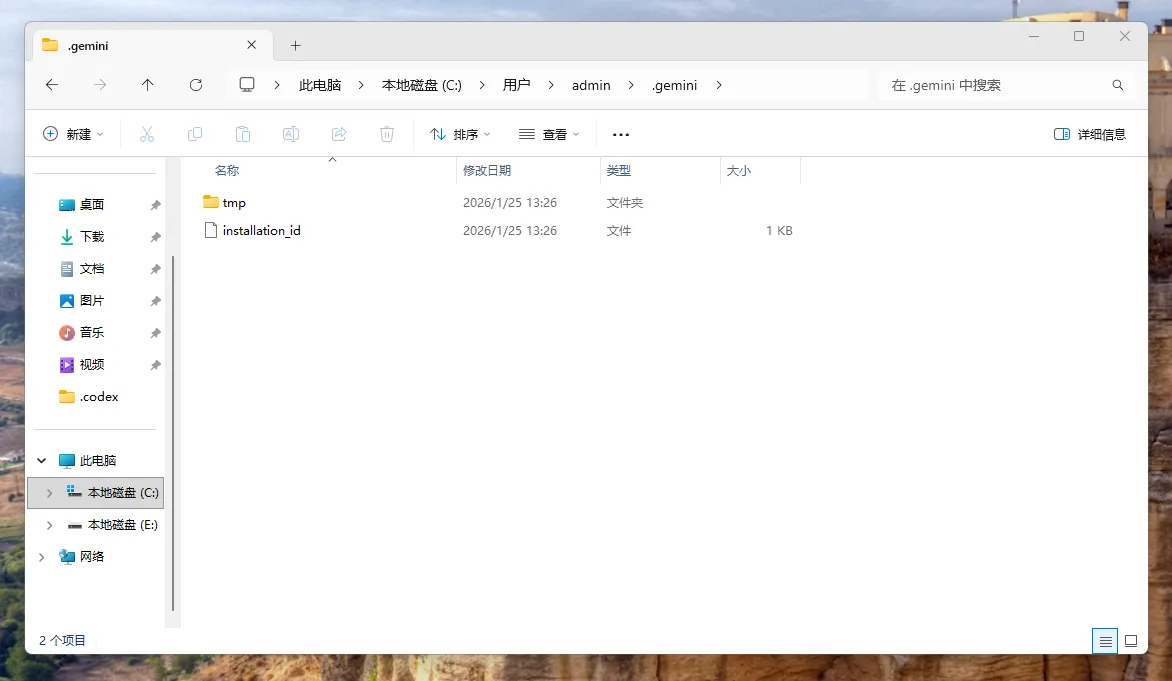
Create a.env file
Manually create the.envfile and write the following:
GOOGLE_GEMINI_BASE_URL=https://www.puluai.com/v1
GEMINI_API_KEY=填入你的密钥
GEMINI_MODEL=gemini-3-pro-preview
Enter the Gemini Channel API Key you generated in the background in theGEMINI_API_KEYsection, and then save it.
Verify that the configuration was successful
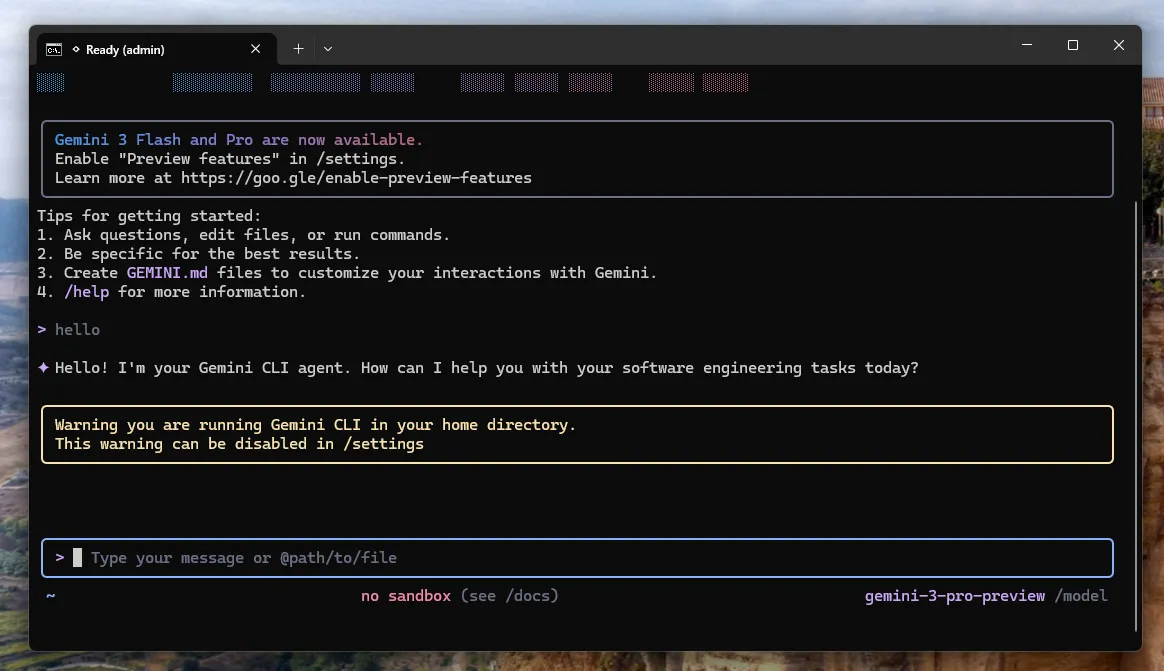
Running on the terminal:
Windows
geminimacOS
geminiLinux
geminiAfter entering the Gemini CLI, send a simple question to see if it can return normally.
Warning
If a Key error is still prompted, please check whether there are extra spaces in the_.envfile, the Key is missing, or whether the Key is affected by model restrictions.