
Claude Code Configuration Tutorial
Tips
It is highly recommended to useCC-Switchfor configuration. It is friendly to Xiaobai.
Find Claude Code's configuration folder
First open your terminal program and run the following command according to the system to open the Claude Code configuration folder. The user settings directory for Claude Code is~/.claude; in Windows,_PULUAI_TOKEN_1__corresponds to the current user directory.
Windows
New-Item -ItemType Directory -Force "$env:USERPROFILE\.claude"
Start-Process "$env:USERPROFILE\.claude"
macOS
mkdir -p "$HOME/.claude"
open "$HOME/.claude"
Linux
mkdir -p "$HOME/.claude"
xdg-open "$HOME/.claude"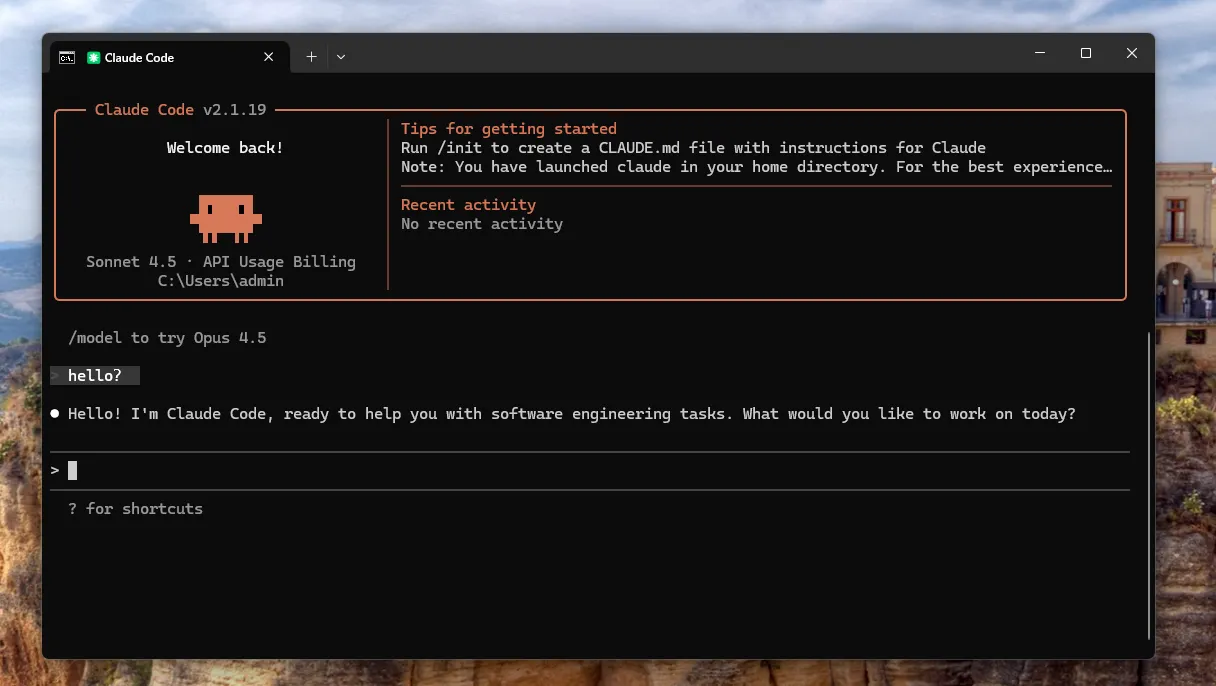
Create settings.json
Manually create thesettings.jsonfile and write the following:
{
  "env": {
    "ANTHROPIC_AUTH_TOKEN": "填入你的密钥",
    "ANTHROPIC_BASE_URL": "https://www.puluai.com/v1",
    "CLAUDE_CODE_DISABLE_NONESSENTIAL_TRAFFIC": "1"
  }
}
Save and reopen the terminal.
Verify that the configuration was successful
Running on the terminal:
Windows
claudemacOS
claudeLinux
claudeAfter entering Claude Code, send a simple question to see if it can be returned normally.
Warning
If the Claude Code prompts that a Git environment is missing, please install Git first and then runclaudeagain to test.